
In short: A restaurant website has exactly one job: letting someone who lands on it from their phone, hungry and out of patience, book a table in two taps. That takes five screens (home, menu, bookings, where and when, photos of the place), a menu in text rather than PDF, a booking button that actually works, your own photos kept light, and the same details as on your Google listing. Everything else is clutter. On our own website, simply changing how the fonts loaded took the mobile speed score from 65 to 96; on a client's, the homepage photos weighed 40 MB. If you are looking into restaurant website design, this is what to ask for, and what to stop asking for.
Some restaurant websites are works of art. Full-screen everything, music that starts on its own, slow-motion video of steam rising off a plate and, somewhere nobody can find, last year's menu as a PDF. They are built by an agency that also builds websites for architects, and you can tell. The people landing on your restaurant's website are not there to be moved: they want to know whether you are open, what there is to eat and how to get a table. And they want it on their phone, standing up, most likely outside another restaurant that is full.
A restaurant website has one job: getting people to book from their phone
Restaurant website design is judged on a single question: can someone book from their phone in two taps without swearing? If the answer is no, it does not matter how pretty it is. The website is not a brochure or a portfolio: it is the last step before the table. People reach it from your Google listing, from an advert or from Instagram, already half decided; all the website can do is close the deal or ruin it.
That is why it comes after the Google listing in the pecking order (we explain this in our guide to restaurant marketing): across our accounts, 87% of the actions that come out of an advert are directions requests, which get sorted on the map without ever touching the website. The website comes in for what the map cannot do: seeing the full menu, booking for a group, having a look at the dining room. And there it needs to be fast and clear, because the people arriving have all but made up their minds.
The 5 screens you need (and the 15 you don't)
A restaurant website that works fits in five screens. The twenty-screen ones don't have more: they hide what matters.
| Screen | What it needs | What to leave out |
|---|---|---|
| Home | What kind of food it is, where it is, whether it is open right now and a booking button you can see without scrolling | The full-screen video that takes five seconds to load and the phrase ‘a unique experience’ |
| Menu | Dishes and prices in text, up to date, with allergens | The PDF, the photo carousel with no prices and the seasonal menu from two seasons ago |
| Bookings | The booking engine, open and live, not a form someone answers tomorrow | ‘Call us’ as the only option and the seven-field form |
| Where and when | Address, map, opening hours including bank holidays, a phone number you can tap and how to get there by public transport | The ‘contact’ page with a form and nothing else |
| The place | Your own photos of the dining room, the kitchen and the team, during a real service | ‘Our philosophy’ in 600 words and stock photos |
And the blog, the story, the awards, the shop, the catering, the events gallery? If they exist and get used, fine; if they are there because ‘you have to have them’, that is fifteen screens nobody opens that make the menu harder to find.
A menu that is always up to date: text, not PDF
The PDF menu is the most common mistake and the most expensive one. On a phone it opens in another tab, you have to zoom, you cannot search it and Google treats it as a separate document rather than as your menu: it does not even show up on your Google listing. In text, every dish with its price is a line that Google understands, that the person reads without zooming and that you change in a minute when the price of olive oil goes up.
The same goes for the Google listing, which accepts the menu as text and shows it inside the map; how to keep it up to date, point by point, is in SEO for restaurants. There is one rule: the menu lives in one place, it gets changed there, and the website and the listing display it. If it has to be changed in three places, by the third change none of them match.
Integrated bookings: your own engine, TheFork, Restoo
The booking button has to open a booking engine that confirms the table on the spot: TheFork, Restoo, CoverManager or whatever you already use. A ‘booking request’ form that someone answers when they get a moment is, in practice, not having online bookings at all: whoever writes at eleven at night has already booked somewhere else by the time you reply at ten in the morning.
Two things we learnt with a booking engine on another domain. First: the link has to go straight to the engine, not to an intermediate page that redirects. At a restaurant we manage, the booking page started redirecting to the engine and, from one month to the next, bookings stopped being attributed to the adverts and the website even though total bookings were up 68%: the business was doing better and the reports said the opposite. Second: the analytics have to follow the person from the website's domain to the engine's; otherwise every booking shows up as if it came out of nowhere, and you will never know which channel brought it in.
And a front-of-house detail: the booking button is not just for the website. It also has to be on the Google listing and on the Instagram profile, pointing at the same engine. At Més de Vi, for example, bookings made from Google went up 23% in a year while calls went down: people book wherever it takes the least effort.
Speed and photos: how to load fast with good photos
A slow restaurant website is not slow because of the design: it is slow because of the photos and the fonts. On a client website we inherited, the homepage was loading 40 MB of images, print-sized photos uploaded straight off the camera; the heaviest went from 8.6 MB to 1.5 MB with a free tool and without anyone noticing the difference on screen. On ours, simply by no longer loading the fonts from Google and serving them from our own server, the mobile speed score went from 65 to 96 and the main content went from taking 8.5 seconds to 2.2 in Google's test.
The recipe, which costs nothing:
- Photos no wider than 1,600 pixels, in a compressed format. For a screen that is plenty; for print, you still have the original.
- Photos that aren't visible on opening load later (lazy loading). The phone downloads what is on screen first.
- Nothing that starts on its own: no background video, no music. If you want video, give it a cover image and have it load on tap.
- Your own fonts, served from your website, not requested from another server on every visit.
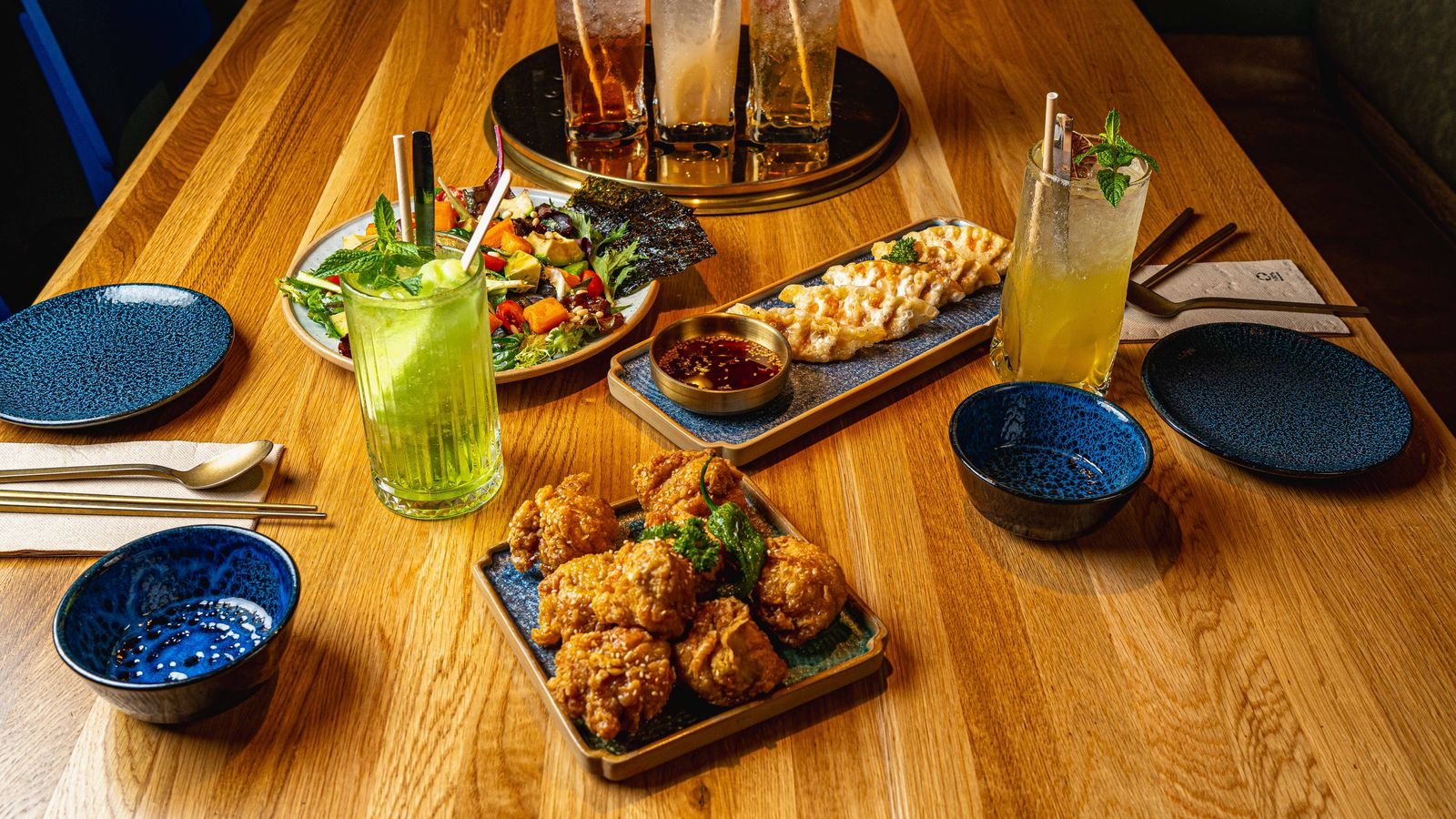
And the photos, good ones: your own, during a real service, in the light of the place. A stock photo on a restaurant website, you can spot it from the moon, and when the customer turns up and the dining room looks nothing like it, they say so in their review. The material comes from the same shoot that feeds the listing, social media and the adverts: food photography done once and used everywhere.
The same details on website, listing and social media
Name, address, phone number and opening hours have to be identical on the website, on the Google listing and on Instagram. Genuinely identical: the same ‘Carrer’ or ‘Calle’, the same phone number in the same format, the same bank-holiday hours. Google compares them, and when they do not match, it distrusts all three. So do people: if the website says you open at 20:00 and the listing says 20:30, someone turns up at 20:10 and finds the shutter half-way up. What the listing needs, point by point, is in Google Business Profile for restaurants.
Reviews are part of the same package. You do not need to copy them onto the website (and in Google adverts you are not even allowed to); you need the ones on the listing to be answered, the bad ones too, because whoever looks at the website looks at the listing next: how to do it is in how to respond to Google reviews of a restaurant.
What it costs and realistic timings
A five-screen website with the menu in text, the booking engine built in and your own photos is not a months-long project. What makes it pricier and longer is the clutter: the fifteen screens, the full-screen video, the animated logo. What genuinely takes time are two things that do not depend on the designer: having the menu finalised with prices and having the photos taken. With those in hand, it is measured in weeks.
What nobody budgets for and you have to ask about: maintenance. A restaurant website nobody updates turns into an open door. On another website we inherited there were 913 spam comments and 28 junk posts published by a bot, because an admin login nobody used any more had been left open for months. Closing it took ten minutes; nobody looking, four months. Ask who updates the menu, who updates the system and who checks whether something has broken, and what each of those costs per month.
FAQ
Before you commission the website
Does a restaurant need a website if it already has a Google listing and Instagram?
To show up on the map, no: the listing does that. The website is for what the map cannot do: the full menu with prices, booking for a group, seeing the dining room and letting Google read what you offer. If you are not going to maintain it, better a spotless listing than an abandoned website.
Can I put the menu up as a PDF?
You can, but on a phone it opens separately, you have to zoom and the Google listing does not show it as a menu. In text, every dish with its price reads without zooming, can be searched and gets changed in a minute.
Which booking engine should I use?
The one that confirms the table on the spot and the one your front of house already uses: TheFork, Restoo, CoverManager or your own. What matters is that the button on the website, the one on the Google listing and the one on Instagram open the same engine, with a direct link and no intermediate pages.
How long does a restaurant website take to build?
Weeks, not months, if the menu is finalised with prices and the photos are taken. What stretches the timeline is almost never the design: it is waiting for the menu and the photos, or adding screens nobody is going to open.